
Setting up a sales pipeline in Bitrix24 takes about 30 minutes. It gives your team a clear, automated path from first contact to a closed deal. This guide covers every step.
What Is a Sales Pipeline in Bitrix24?
A sales pipeline in Bitrix24 is a kanban board with deal stages. It tracks each lead from first contact to “Won” or “Lost”. Each stage matches a step in your sales process: qualification, proposal, negotiation, closing. Bitrix24 lets you create several pipelines for different products or departments. The number of pipelines depends on your plan: up to 20 on the Professional plan, up to 10 on the Standard plan (source: Bitrix24 plan comparison, checked 14 July 2026).
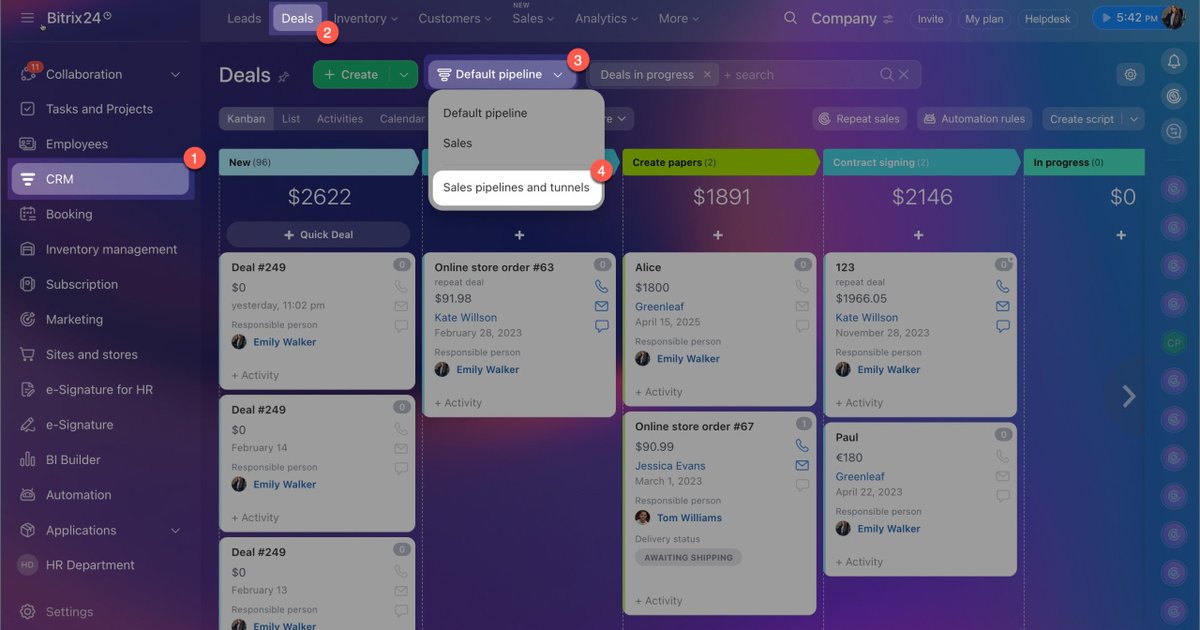
In Bitrix24, this feature is called CRM pipelines. You can find it under CRM → Deals → Kanban view or List view.
How Do You Create Pipeline Stages in Bitrix24?
To create pipeline stages, go to CRM → Settings → Statuses and Dropdowns → Pipeline name → Add/Delete stage. Enter a stage name and set a win probability. You can drag stages to change their order. The pipeline ends with archive stages: Bitrix24 requires at least one “Won” stage (green) and one “Lost” stage (red). All other stages count as active. Set the stage order during initial setup, not later. If you keep changing the order after go-live, your sales steps were probably not mapped out clearly enough.
Important: you cannot delete the first stage (you can rename it). You also cannot move the first stage to second, third, or any other position. The first stage always stays first.
Recommended B2B stage structure (5–6 stages, keep it simple):
Active stages:
- Qualified Lead
- Proposal Sent
- Deposit Received
- Sent to Production or Delivery
Archive stages: 5. Won 6. Lost
Which Fields Should You Set Up Before Automating a Pipeline?
Before automation, set up custom fields that record the result of each stage. Each stage name should describe one finished action — for example, “Proposal Sent” or “Deposit Received”. Add a date field to that stage. Add a file field too, if needed. For example: the date you sent the proposal, plus the proposal file itself. This way, the deal card keeps its data as it moves between team members. It gets richer at every step, like a relay baton. A rich deal card becomes a single source of truth for a sales manager or an accountant. They don’t need to ask the team for information — it’s all in the card.
Based on the author’s experience with over 100 Bitrix24 client portals, about 80% of clients cut their deal cycle by 30% or more after adding required-field controls. The reason: faster, more consistent data entry. Staff stop wasting time passing information to each other and spend more time on direct client work — service and sales (n=100+, source: author’s own practice as a certified Bitrix24 partner).
How Do You Automate Pipeline Stages in Bitrix24?
Bitrix24 automates a pipeline with Robots, Triggers, and the Business Process designer — under CRM → Automation. Robots run an action when a deal moves to a specific stage: send an email, create a task, notify a manager. Triggers move a deal to a new stage automatically, based on an event — for example, a client reply or a filled-in CRM form. The Business Process designer is available from the Professional plan and up. It lets you build more complex scenarios.
Example automation for the “Proposal Sent” stage:
- Robot: send the proposal email template automatically
- Robot: create a follow-up task for the manager in 3 days
- Trigger: move the deal to “Negotiation Started” when the client fills in a CRM form
How Long Does It Take to Set Up a Bitrix24 Pipeline?
Basic technical setup of a Bitrix24 pipeline takes about 30 minutes. This is only the time to build it in the system — not the time to discuss and approve the stages inside your company. Agreeing on the stages usually takes longer, especially if the company had no CRM before. A sales manager or operations director should approve the final stage structure. Required-field control is part of the same logic. For example, if the deposit amount field is empty, you can’t move a deal to “Sent to Production”.
What Are Common Mistakes When Setting Up a Bitrix24 Pipeline?
The most common mistake is too many stages: more than 7 stages creates confusion and weakens deal control. The second mistake is missing required fields on key stages, such as deposit date and amount. The third mistake is the wrong stage order — one that doesn’t match the real sales process. The fourth mistake is tracking deal data in email or another tool instead of the CRM. Keep your pipeline to 5–6 stages for B2B sales cycles under 90 days.
Vic First is a certified Bitrix24 partner with 8 years of experience implementing CRM for B2B companies across Europe. He has set up and automated over 100 portals.